Import Your Playbook. Plan Practice in 10 Minutes.
CoachDek replaces the spreadsheet, the whiteboard, and the install schedule you keep in your head — with one platform that connects your playbook to your practice plan to your players.
The average coaching staff juggles 6–10 disconnected tools — film in Hudl, plays in PowerPoint, practice plans in Google Sheets, installs tracked from memory, and game week coordinated over GroupMe. So every Sunday night, someone rebuilds a spreadsheet from scratch. By mid-October, nobody remembers what was installed in Week 2, and your freshman are running plays they've never repped. Nobody owns the daily practice plan — the document your entire staff is built around. CoachDek does.
Import Your Playbook in 60 Seconds
Download your plays from Hudl. Upload to CoachDek. Your formations, concepts, and plays are extracted and rendered — ready to drag into your season install plan and connect to every practice for the rest of the year. No redrawing. No manual data entry. Your playbook, structured and ready, in the time it takes to pour coffee.
- Works with Hudl playbook exports, PDFs, and image-based play cards
- AI extracts formations, routes, and blocking assignments — you verify and adjust
- Your plays render in CoachDek’s diagramming engine — cleaner than what you had before
Build Your Season Install Plan in 5 Minutes
Drag your concepts into weekly buckets — Inside Zone in camp week 1, Counter in week 3, Play Action in week 5. CoachDek turns that season arc into the backbone of every practice plan you build. Each week knows what's being installed, what needs review, and what's on deck — automatically.
- Two-panel layout — your playbook concepts on the left, your weekly calendar on the right
- Every practice plan automatically knows what’s being installed and what to review from prior weeks
- Mid-season adjustments are one drag — move a concept, and every downstream practice plan updates
One Plan. Every Coach On the Same Page.
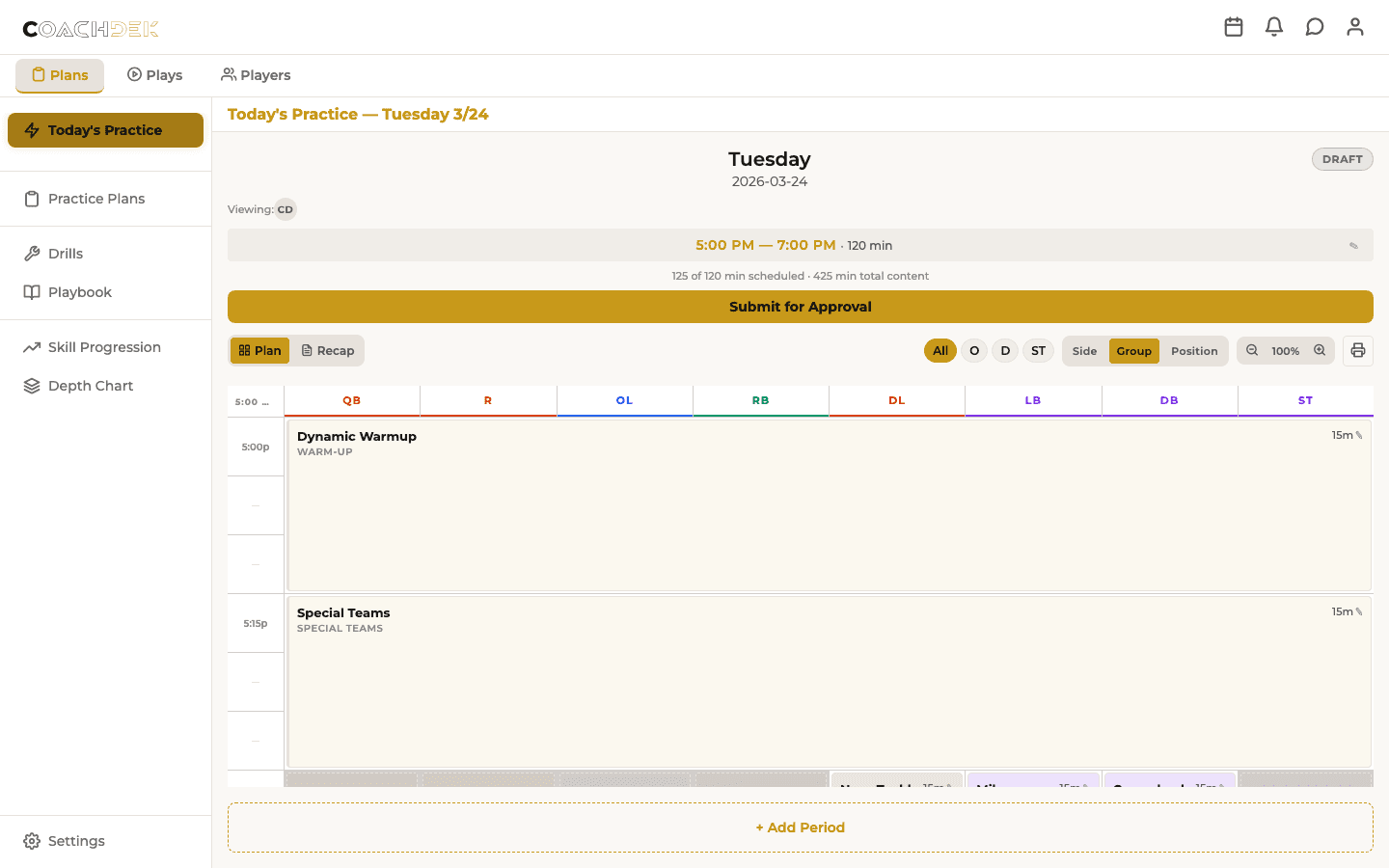
Build your weekly practice plan and put every coach exactly where they need to be. Coordinators build the structure, position coaches own their periods, and the HC approves before it goes to players.
Monday morning, your OC opens this week's plan. The periods are already structured from last week's template. The install concepts are pre-loaded from the season plan. He drags drills into his periods, delegates the DB individual period to Coach Harris, and submits for your review by lunch. You approve it on your phone during 5th period. By 3:30, every coach on your staff — and every player — knows exactly what's happening at practice.
- Drag-and-drop period scheduling — build your week in minutes, not hours
- Players see the published plan — no more GroupMe updates about practice
- Period delegation — assign periods to position coaches with one tap
- Approval workflow — Draft → Submitted → Approved → Published
- Preseason and in-season modes — different templates, different defaults
Every Drill Builds Toward Something.
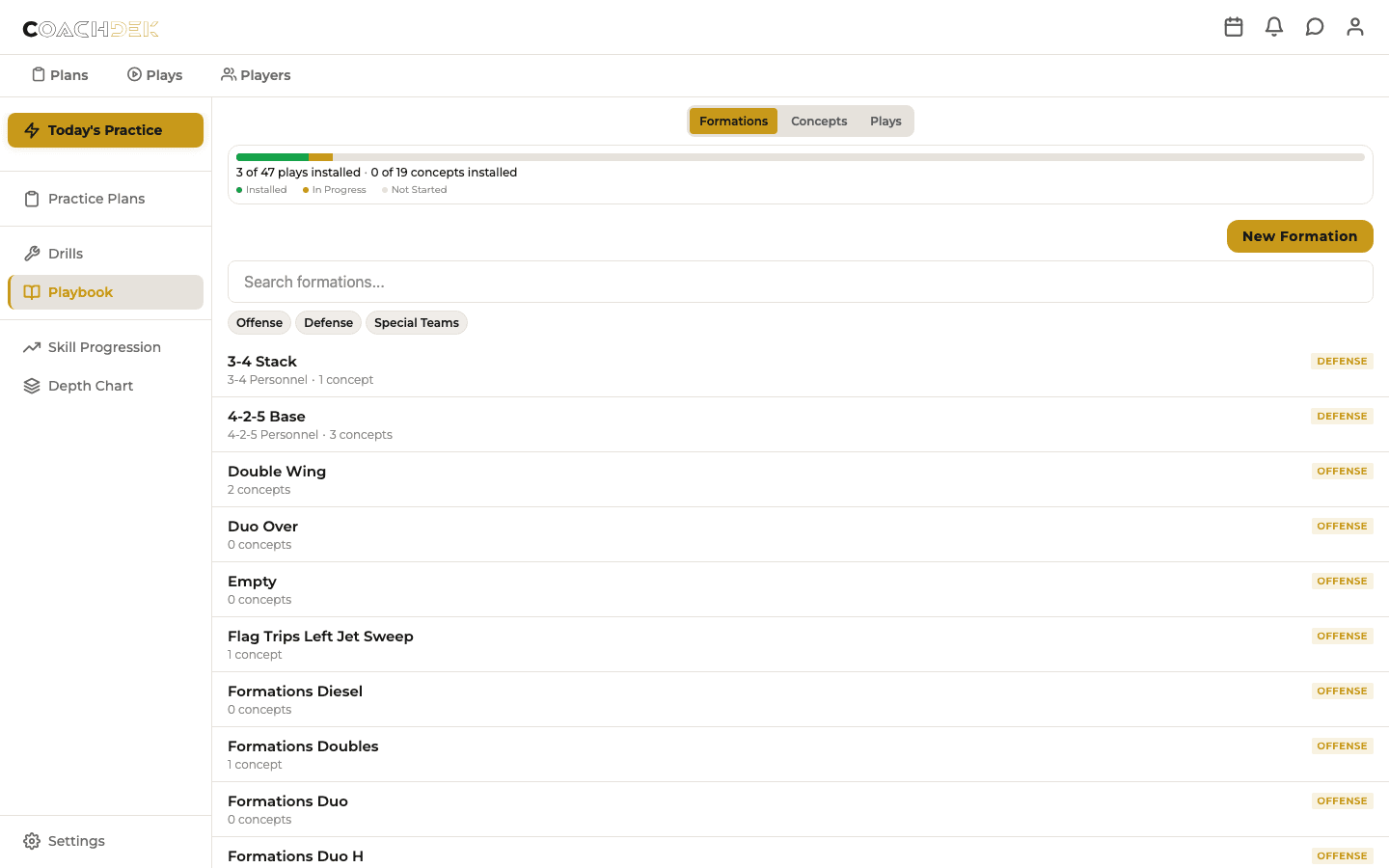
Your practice plan isn't a random collection of drills — it's a progression. Every drill in CoachDek knows which play it installs, which concept it reinforces, and where it fits in your season arc. By week 6, you can see exactly what your team knows, what they've repped, and what's still on the whiteboard.
- Playbook hierarchy — Formation → Concept → Play, all connected to drills
- Install tracking — mark plays as installed as your preseason progresses
- Drill library — tagged by play, concept, and position group
- Preseason install arc — Fundamentals → Concepts → Full Plays → Reps
Rate Your Players. Target the Gaps. Build the Roster.
Position coaches rate every player on every skill node in their position group. CoachDek surfaces the gaps — and flags when your practice plan isn't addressing them.
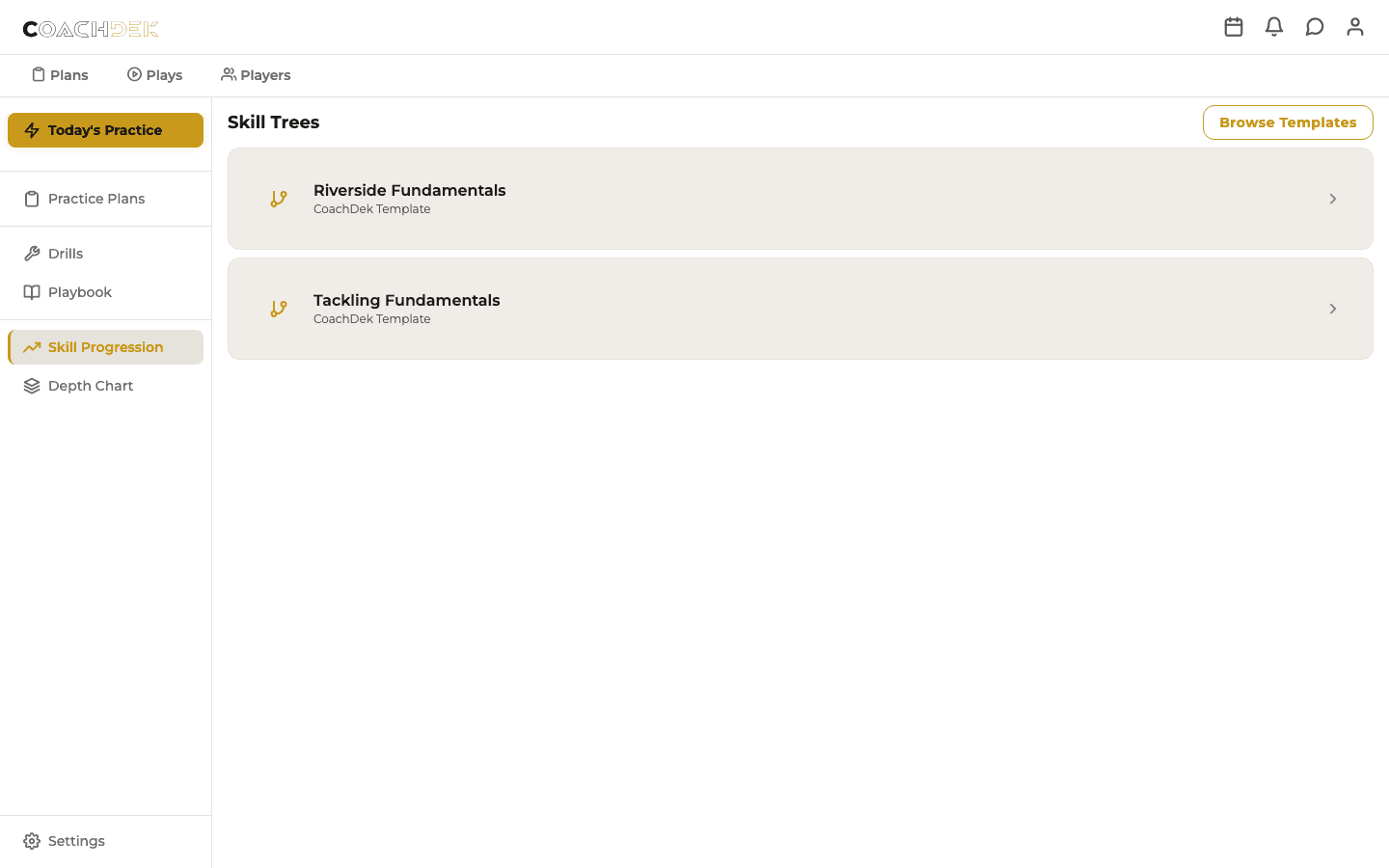
- Skill trees by position group — built-in templates for every scheme at every level
- 1–5 player ratings — timestamped progress tracking across the season
- Skill gap alerts — “Your DBs are rated 2/5 in press coverage. No press drills this week.”
- Depth chart integration — ratings inform lineup decisions, HC approves
- Starts from CoachDek templates — 4-2-5, spread, pro-style built in at launch
Players open CoachDek and see their position coach's skill ratings, their coaching points, and what to work on next. The first time a 14-year-old shows up to practice already knowing his assignment because he looked it up on his phone — your coaching staff will never go back.
One Platform. Every Role.
Head Coach
Season-level visibility. Approve practice plans and depth charts before they publish. See install progress across the full preseason arc.
Coordinator
Build the weekly plan, connect it to the playbook, delegate periods to position coaches. CoachDek replaces the spreadsheet entirely.
Position Coach
See your periods, rate your players, check off drills during practice. No training required — the AI assistant walks you through it.
Player
See the practice schedule, check your assignments, know what concepts are being installed this week, and track your skill development. Show up to practice already knowing your job.
Your Season Starts with Your Playbook. Not a Spreadsheet.
Import your playbook. Build your install calendar. Plan your first practice. All in 10 minutes, all free. We're in early access with high school and youth programs — join the coaches who are done rebuilding spreadsheets every Sunday night.
Start Free — Import Your PlaybookBuilt by Coaches. For Coaches.
CoachDek was born on a practice field in Temecula, California — built by a coaching staff that got tired of juggling Google Sheets, PowerPoint playbooks, and GroupMe threads. We coach at the sub-varsity level. We know what it's like to plan practice at 10pm after a full work day, with a staff of volunteers who can only show up at 3:30. We built the tool we wished existed.